



HTML Code
Paste your own HTML code to embed any third-party widget
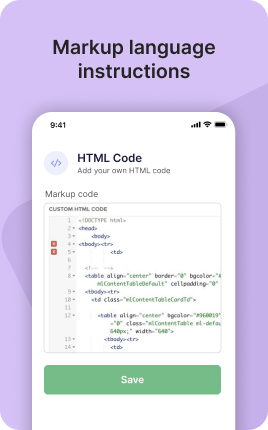


HTML Code is a UniLink app for embedding any third-party widget. Input: raw HTML/CSS/JS or an embed code. Output: a hosted page that renders the widget inside a sandbox with safe defaults.
Overview
HTML Code is for the times when no pre-built block fits. Paste any third-party widget — Calendly, Typeform, Cal.com, Mapbox, custom dashboards — and the page renders it. Sandboxed for safety, mobile-responsive by default, and styled to match your UniLink theme.
What you can build
How it works
Paste your code
HTML, CSS, JS, or a third-party embed snippet.
Preview
See how it renders before publishing.
Publish and share
Live at the unil.ink URL with HTTPS, sandbox, and theme inheritance.
✓ Best for
- Embedding third-party widgets (Calendly, Typeform, etc.)
- Custom interactive demos
- Tracking pixels or scripts you control
- Advanced users with specific design needs
✗ Not the best fit for
- Most use cases — pre-built apps cover them faster
- Untrusted code from random sources (security risk)
- Heavy server-side logic — use a real backend
Frequently asked questions
What can I embed?+
Calendly, Typeform, Cal.com, Loom, Stripe Checkout, Mapbox, custom JS dashboards — anything with an embed snippet.
Is the code sandboxed?+
Yes — it runs in an iframe with restricted permissions. Cannot access your account or steal data.
Can I add custom CSS?+
Yes — full control over styles within the embed.
Will analytics track inside the embed?+
Page-level analytics work. Inside-embed events depend on the third-party tool.
Is it allowed to add tracking pixels?+
Yes — but you must comply with privacy laws and our terms.
Related apps
What's included
- ✓Full HTML/CSS/JS support
- ✓Third-party widget embeds
- ✓Custom scripts
- ✓Sandbox security
- ✓Preview before publishing