Link in Bio
What It Is and How to Use It in 2026

One link in your social profile. A whole page of links, products, and content behind it. Build your link in bio in minutes — free, on a custom domain, with built-in analytics.

Create your link in bio — free
UniLink link in bio page on a phone

A link in bio is a single URL placed in your social media profile that opens a mobile-first landing page containing all your important links. Instead of forcing followers to choose between your shop, your latest video, your newsletter, or your podcast — you give them one link that opens a curated menu of everything.

The term comes from a long-standing limit on Instagram, TikTok, YouTube, and X: only one clickable URL is allowed in your profile bio. Creators worked around this by adding services that hosted a separate page — a “link in bio” — and the name stuck. Today it covers any branded landing page you reach from a social profile.

“Link in bio” means “tap the clickable URL in my profile bio” — it’s creator shorthand pointing followers to the one place social platforms allow an outbound link. When a creator says “link in bio” in a caption or video, they’re telling you to leave the post, open their profile, and tap the website link near their name.

On Instagram and TikTok, that one slot can’t open a different URL per post — so creators route it to a link-in-bio page that lists everything they’re currently promoting. On Threads and X, “link in bio” works the same way. On YouTube, it usually points to a creator’s about-page link, but the meaning is identical: the link in the profile, not in this post.

Short version: link in bio = the link in my profile bio. Tap it for everything I’m sharing right now.

How a link in bio works

1

Create your page

Sign up, pick a template, drag in blocks: links, products, video, music, contact form, tip jar, newsletter signup.

2

Add the URL to your profile

Copy your unil.ink/yourname URL and paste it into the Website field of your Instagram, TikTok, or YouTube profile.

3

Track and update anytime

Followers tap your link, land on your page, and click any block. Every click is tracked. Update content without touching your bio again.

What you can put on a link in bio page

UniLink supports 40+ block types. Some of the most-used ones:

  • Links — buttons that open any URL: shop, video, blog post, podcast.
  • Products — paid digital and physical products with Stripe checkout built in.
  • Course — sell access to a video course directly from your bio.
  • Newsletter — capture email addresses without a separate landing page.
  • Booking — clients schedule calls or sessions on your calendar.
  • Tip jar & donations — accept one-off support payments.
  • Music & podcast — embed Spotify, Apple Podcasts, SoundCloud players.
  • Video — embed YouTube, TikTok, or upload directly.
  • Contact form — collect leads or messages without sharing your inbox.
  • QR code — generate a QR for offline-to-online traffic.

Best link in bio for your platform

Each social network has its own quirks — image sizes, click behavior, redirect rules. We have dedicated guides per platform:

Ready to build yours?

UniLink is free forever — no credit card, no watermark. Pick a username, drop in your links, and share. Five minutes total.

Create your link in bio →

The link-in-bio category started simple: a list of buttons. UniLink rebuilt it as a full mini-site builder so creators can sell, schedule, automate, and track — all from one URL.

FeatureUniLink (Free)Most competitors (Free)
Custom domainIncludedPaid plan only
Block types40+5–10
Built-in analyticsIncludedLimited or paid
E-commerce checkoutStripe-native, no feesOften paid add-on
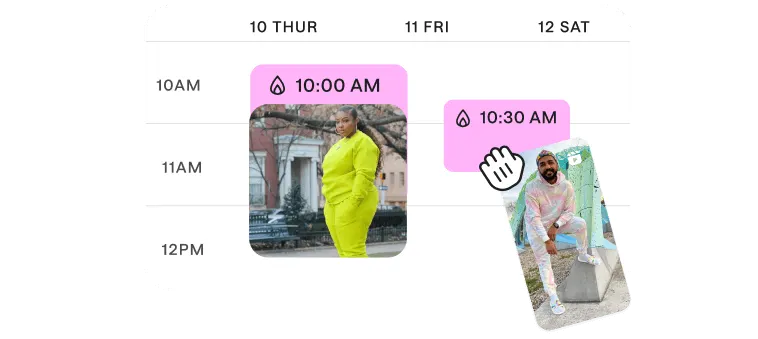
Content schedulingIncludedRare on free
WatermarkNoneOften present

Looking for a deeper comparison? See UniLink vs Linktree or top Linktree alternatives in 2026.

We maintain a curated round-up of the best link-in-bio tools for 2026 — UniLink, Linktree, Beacons, Taplink, Carrd, Later, Stan Store, and more — with a side-by-side breakdown of pricing, features, and ideal use cases. Read our guide to the best link in bio tools in 2026.

Frequently asked questions

What is a link in bio?

A link in bio is a single shareable URL placed in the bio section of your social media profile (Instagram, TikTok, YouTube, X, Threads). It opens a mobile-first landing page that holds all your important links — your shop, latest video, newsletter, music, contact form, and more — so followers can reach everything you offer from one place.

What does "link in bio" mean?

"Link in bio" means "tap the clickable URL in my social profile". It is creator shorthand telling followers to leave the post, open the profile, and use the one outbound link the platform allows. That link usually opens a link-in-bio page listing everything the creator is currently sharing.

What does "link in my bio" mean on Instagram?

On Instagram, "link in my bio" points to the Website field in your profile — the one clickable URL Instagram lets you place there. Tap a creator's name to open their profile, then tap the link below their bio text. It usually opens a link-in-bio page with their shop, latest content, and other destinations.

Why do creators need a link in bio tool?

Most social platforms allow only one clickable link in your profile. A link in bio tool turns that single slot into a full mini-site so you can promote multiple products, posts, and pages at once instead of constantly editing your bio.

How do I add a link in bio on Instagram?

Open the Instagram app, go to your profile, tap "Edit profile", paste your UniLink URL into the Website field, then save. Your link appears as a clickable link below your bio. The same flow works for TikTok, YouTube, X, and Threads.

Is UniLink really free?

Yes. UniLink has a generous free plan with custom domains, 40+ block types, built-in analytics, and content scheduling. No watermark, no card required. Premium plans unlock advanced theming, priority support, and higher storage limits.

How is UniLink different from Linktree?

UniLink includes custom domains, advanced analytics, e-commerce blocks, and scheduling on the free plan — features Linktree puts behind paid tiers. UniLink also supports 40+ block types versus Linktree’s simpler list-of-links layout.

Can I sell products through my link in bio?

Yes. UniLink has built-in commerce blocks: digital products, physical goods, services, courses, donations, and tip jars. Connect Stripe and start accepting payments directly from your bio link without sending visitors to a separate store.

How do I track who clicks my link in bio?

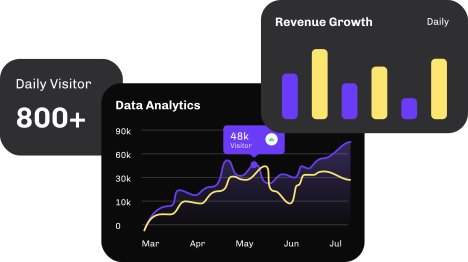
UniLink ships with built-in analytics on every plan: clicks per link, geographic data, traffic sources, and visitor trends. Connect Google Analytics, Meta Pixel, or TikTok Pixel for deeper attribution.

Is link in bio still relevant in 2026?

Yes. While platforms are starting to allow product tagging in posts, link in bio remains the universal way to consolidate every offer, content piece, and channel into one place — across all social networks at once. It also lets you A/B test, schedule, and personalize what visitors see.

Get started now

Loved by thousands of artists, writers, musicians, podcasters, youtubers, gamers, developers, hobbyists, and brands.
Create your link in bio