




Data Collect
Collect emails, phones, messengers of page visitors
2.4K +
Installs
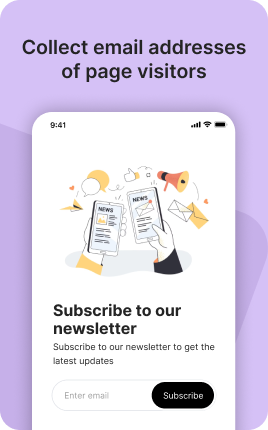
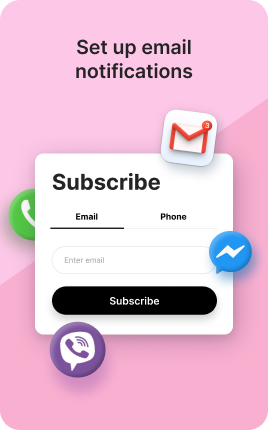
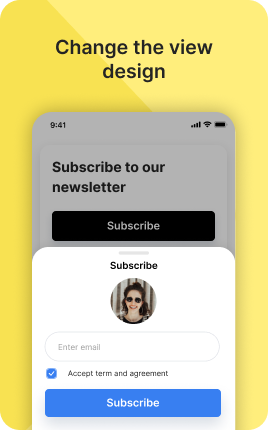
The Data Collect Block is a research-focused form for gathering structured data from visitors — surveys, polls, market research, customer feedback at scale. Where the Form Block is for low-friction lead capture (3-5 fields), the Data Collect Block supports longer multi-step questionnaires with conditional logic, multiple-choice questions, rating scales, and matrix questions. Use it when the data you need is itself the goal — not a side effect of capturing a lead.
Use cases
Concrete patterns we see UniLink creators apply most. Pick the closest to your situation as a starting point.
Customer feedback surveys
NPS surveys, post-purchase satisfaction, feature priority polling. The Data Collect Block handles rating scales, multiple choice, and open-ended responses in one structured flow.
Pre-launch market research
Before launching a new product, survey your audience on price sensitivity, feature priorities, willingness to buy. Decisions backed by visitor data outperform decisions backed by founder hunches.
Audience persona research
For creators and brands trying to understand their audience deeply — demographic, behavioral, psychographic questions. Aggregated responses inform content strategy, product development, and positioning.
Lead qualification questionnaires
For high-value services, a longer qualification form filters serious prospects. The Data Collect Block supports conditional logic — different follow-up questions based on previous answers — so the form length matches the prospect's actual context.
How to add this block
From marketplace install to live on your link in bio. Each step takes seconds; the writing is what takes time.
- 1
Add the block from the marketplace
In your UniLink dashboard, place the block where you want to capture data — usually near the call-to-action or at the end of the page.
- 2
Choose the fields you actually need
Every field added drops conversion ~5-10%. Ask for name and email; collect everything else later via follow-up email. Long forms feel like work.
- 3
Connect a destination
Pipe submissions to email, Google Sheets, Mailchimp, or your CRM via webhook. Without a destination, submissions go nowhere — connect it before going live.
- 4
Write the button text that moves people
Replace the default "Submit" with something specific: "Get my free guide", "Send my quote", "Reserve my spot". Generic buttons convert worse across every form.
- 5
Publish and confirm
Submit a test entry yourself, confirm it lands at the destination, and watch real submissions in Analytics. If submissions stall, the form is too long or the value unclear.
Best practices that move the needle
Small changes in writing or curation that consistently improve conversion.
Three fields or fewer
Conversion drops sharply past three fields. Email + name + one optional field is the sweet spot for most use cases. Anything more belongs in a follow-up message.
Show the value before the form
Tell visitors exactly what they get for filling it out — "Get the 14-day onboarding plan PDF", not "Sign up for our newsletter". Specific value beats generic invitation.
Confirm immediately on submit
A clear "Thanks, check your email in 30 seconds" reassures the visitor. Silent submits feel broken and lead to duplicate submissions or bounces.
Mobile keyboards matter
Use the right input type — email keyboard for emails, number pad for phones, datepicker for dates. Wrong keyboards on mobile add friction and increase abandonment.
Frequently asked questions
What is a Data Collect Block in a link in bio?
A Data Collect Block is a research-focused form on your link in bio that collects structured data — survey responses, poll votes, qualification answers. It supports more complex question types than the basic Form Block: multiple choice, rating scales, matrix questions, conditional logic.
How is it different from the Form Block?
Form Block is for short low-friction lead capture (3-5 fields, fast submit). Data Collect Block is for longer structured research (10+ questions, multi-step, conditional logic). Use Form for "give me your email"; use Data Collect for "tell me about your business".
Where do responses go?
Responses are stored in your UniLink dashboard with charts and aggregated views, plus exportable to CSV for analysis in tools like Excel, Google Sheets, or specialized survey platforms. PRO plans add direct integrations with research tools (Typeform-style API, etc.).
Can I require certain questions?
Yes. Each question has a "required" toggle. Conditional logic supports skip patterns — required questions only show if relevant based on previous answers, so respondents don't feel forced to answer questions that don't apply.
Is the Data Collect Block free on UniLink?
Basic survey functionality is included on free plans. PRO plans add advanced features like conditional logic, response analytics, and CSV export.
Related blocks
Pair this block with these to build a complete page on your link in bio.
Ready-to-use apps in the marketplace
Try ready-made page templates built around this block — install with a single click.
Data Collect
Collect emails or phone numbers from your visitors
Email Subscribe
Grow your email list — let visitors subscribe to your newsletter
Waitlist
Build a waitlist for your upcoming product, event or launch
Lead Magnet
Offer a free resource in exchange for an email — guide, checklist, template
Quiz Funnel
Ask a few questions, give a personal recommendation, and tag the lead
Skin Type Finder
Let people find their skin type — and the products that suit it
Plan Finder
Stop explaining your tiers — let a quiz pick the right one
Ready to add this block?
Drop it on any UniLink page in under a minute. Customize copy, visuals, and order without touching code.
Add to UniLink — free