




Splash Screen
Display full-size popup banner
4.9K +
Installs
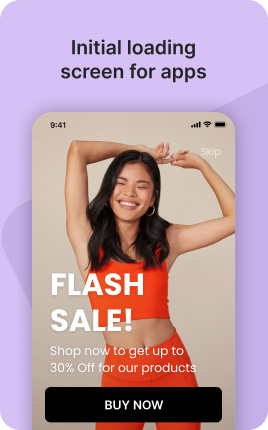

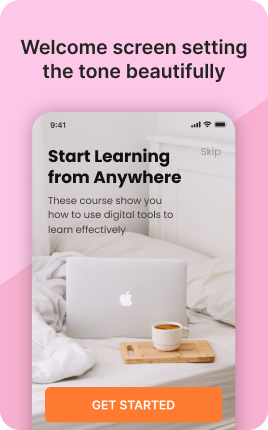

The Splash Screen Block is a brief intro animation or static visual shown for 1-3 seconds before the main link in bio reveals. Use it for brand impact — a logo animation, a tagline reveal, an atmospheric intro that primes visitors before they see your content. The block is optional and should be used sparingly: every additional second between visitor arrival and content visibility is a chance for them to leave. Reserve for brands where the splash is genuinely part of the identity.
Use cases
Concrete patterns we see UniLink creators apply most. Pick the closest to your situation as a starting point.
Brand logo animation
A 1-2 second logo animation that establishes brand identity before content reveals. Best for brands with strong visual identity where the splash itself is recognized.
Atmospheric mood-setter
For brands selling experience (luxury, immersive, art-driven) — a splash that sets the mood. The brief delay reinforces "this is special" rather than "this is generic".
Campaign-specific intro
For a launch campaign — a splash that announces "Spring Collection 2026" before revealing the campaign-specific bio. Pair with Promo Bar for sustained campaign messaging.
Loading-state replacement
For bios with heavy media (multiple videos, large galleries), the splash gives the page time to load while showing branded content rather than a blank state. Better UX than visitors seeing slow-loading blocks.
How to add this block
From marketplace install to live on your link in bio. Each step takes seconds; the writing is what takes time.
- 1
Add the block from the marketplace
Open your UniLink dashboard, pick the page where the block makes sense, and add it from the marketplace. It starts with placeholder content you can replace immediately.
- 2
Replace placeholders with real copy
Generic placeholder text is what kills SEO and conversion together. Write your actual copy — short, specific, and in your own voice — before you publish.
- 3
Add visuals that match your brand
Upload icons, photos, or illustrations that fit the rest of your link in bio. Mixed visual styles make the page feel templated — pick a style and stick to it across the block.
- 4
Reorder and curate
Drag items into the order that tells your story best. Hide items you don't need yet rather than deleting — easier to bring back when seasons or campaigns change.
- 5
Publish and iterate
Hit publish and review what visitors actually click in UniLink Analytics. Items that get zero clicks for two weeks are candidates for removal or rewriting.
Best practices that move the needle
Small changes in writing or curation that consistently improve conversion.
Lead with the most important item
The first item in the block gets disproportionate attention. Use it for what matters most — newest content, biggest news, or the strongest social proof. Treat the rest as supporting.
Keep titles short and scannable
Visitors skim — they don't read. Headlines under 8 words convert better. Long titles wrap awkwardly on mobile and lose impact even when they fit.
Refresh on a cadence
Stale content signals a stale brand. Set a recurring reminder — monthly, quarterly — to audit the block and update or remove items that no longer reflect what you do now.
Match visuals to your brand
Inconsistent visual style (mix of stock, illustrations, photos) makes the page feel templated. Pick a visual approach and apply it everywhere in the block.
Frequently asked questions
What is a Splash Screen Block in a link in bio?
A Splash Screen Block displays a brief intro animation, video, or static visual for 1-3 seconds when a visitor first lands on your link in bio. After the splash, the main page content reveals.
Should I always have one?
No. Splash screens add friction — every additional second of delay loses some visitors. Use only when the splash is genuinely part of your brand identity (luxury, mood-driven, art-focused) and you accept the conversion cost in exchange for atmosphere.
How long should the splash be?
1-2 seconds is the practical max. Past 3 seconds, drop-off rates rise sharply on mobile. The shortest splash that establishes the brand impression is the right length — not the longest one you can technically render.
Will visitors see the splash every time?
Configurable. Default is "show once per session" — first visit shows the splash, subsequent visits skip it. Some brands prefer "show every time" for maximum brand impact, but this hurts return-visitor experience.
Is the Splash Screen Block free on UniLink?
Yes for static splashes. PRO plans add features like custom video splashes, audience-segmented variants, and detailed splash-skip analytics.
Related blocks
Pair this block with these to build a complete page on your link in bio.
Ready to add this block?
Drop it on any UniLink page in under a minute. Customize copy, visuals, and order without touching code.
Add to UniLink — free