



Map
Add Google Map to help users navigate to your local business
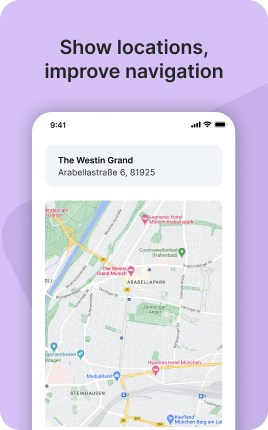
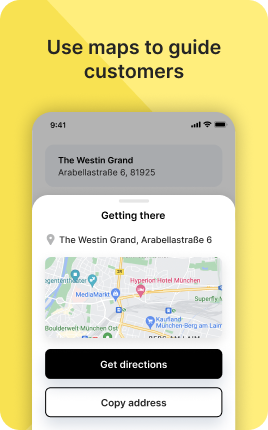
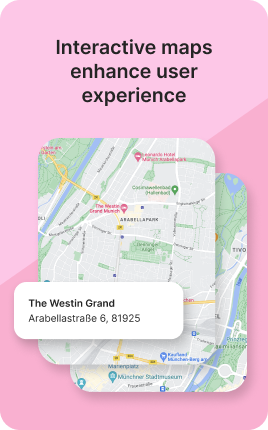
Map is a UniLink app for embedded location pages. Input: business address, optional opening hours, multiple locations. Output: a hosted page with an interactive Google Maps embed, directions link, and a "click-to-call" button.
Overview
Map is the fastest way to publish a location page. Embed Google Maps, list opening hours, and surface a one-tap directions button. For multi-location brands, list every store with individual hours and pin colors. Pair it with a QR code on packaging or storefronts.
What you can build
How it works
Enter the address
Type or paste — the map auto-pins the location.
Add hours and contact
Opening hours, phone, "directions" button, optional photos.
Share or QR-print
Use the unil.ink URL on business cards, packaging, or printed signage.
✓ Best for
- Restaurants, cafes, and bars
- Retail stores and brick-and-mortar businesses
- Event venues with detailed location info
- Multi-location brands needing one hub
✗ Not the best fit for
- Booking-driven services — use Appointments
- Online-only businesses — use Contacts
- Catalog of products by location — use Shop with location filters
Frequently asked questions
Does it use Google Maps?+
Yes — Google Maps embed with directions, Street View, and reviews carry over.
Can I add multiple locations?+
Yes — unlimited locations, each with own hours and contact info.
Will it show on mobile maps?+
The embedded map links open in Google Maps / Apple Maps app on tap.
Can I customize the pin color?+
Yes — set per-location pin color and icon.
Does it support QR codes?+
Yes — every UniLink page has a built-in QR code generator.
Related apps
What's included
- ✓Google Maps embed
- ✓Multiple locations support
- ✓Business hours display
- ✓Directions link
- ✓Custom map pin