




NFT
Add your favorite NFT products (OpenSea)
2.7K +
Installs
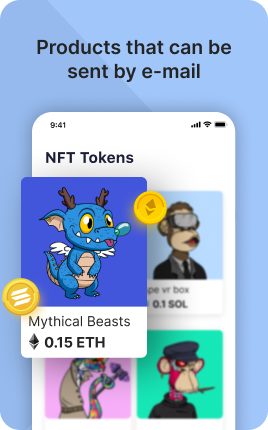
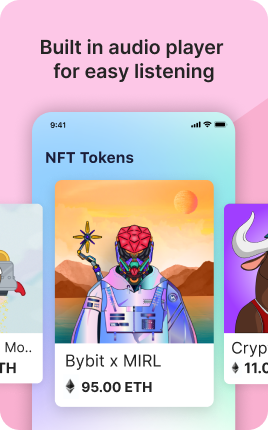
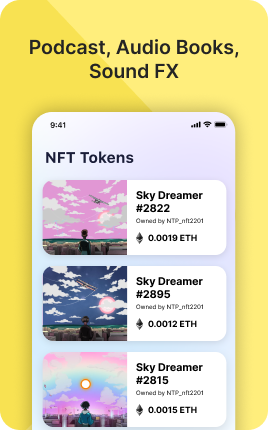
The NFT Block displays NFTs you own or created directly on your link in bio. Connect your wallet (Ethereum, Solana, Tezos, Polygon) and the block pulls metadata from OpenSea, Magic Eden, or Foundation, showing the artwork in a grid with optional links to mint pages or marketplace listings. For artists who tokenize their work, NFT collectors who curate, or projects launching mints, the NFT Block bridges your bio with on-chain identity.
Use cases
Concrete patterns we see UniLink creators apply most. Pick the closest to your situation as a starting point.
Artist showcase of created NFTs
NFT artists displaying their minted works — visitors browse the visual gallery and click through to bid or buy on the marketplace.
Collector portfolio display
NFT collectors curating their owned pieces. Establishes status, taste, or thematic alignment ("I collect generative art" / "I collect Ukrainian artists").
Project mint page link
NFT projects launching new collections — the NFT Block previews the artwork with a clear "Mint now" button linking to the official mint page.
Multi-chain art portfolio
Artists with works on multiple chains (Ethereum, Tezos, Solana) can display all in one block. The visitor sees the breadth without you maintaining separate galleries.
How to add this block
From marketplace install to live on your link in bio. Each step takes seconds; the writing is what takes time.
- 1
Add the block from the marketplace
Open your UniLink dashboard, pick the page you want to sell on, and add the block from the marketplace. It appears empty so you can populate it with your own products or offers.
- 2
Connect your payment provider
UniLink supports Stripe, PayPal, WayForPay, and Fondy. Connect at least one in Settings → Payments so the block can collect money. Without this step the block is preview-only.
- 3
Add product details that sell
For each item, write a short outcome-led title, a benefit-led description, set the price, and upload at least one photo. Photos drive ~60% of conversion on link-in-bio commerce — invest in them.
- 4
Set inventory and shipping rules
If you ship physical goods, define shipping zones and rates. For digital and service products, mark them as "no shipping required" so the checkout skips the address step.
- 5
Publish and watch the dashboard
Hit publish and the block goes live. UniLink Analytics shows views, add-to-cart events, and revenue per product so you can iterate on what converts and what does not.
Best practices that move the needle
Small changes in writing or curation that consistently improve conversion.
One hero offer per block
Visitors decide in seconds. Lead with your strongest offer — bestseller, new launch, or biggest discount — and let the rest support it. A wall of equal items competes with itself.
Real photos beat stock every time
Phone-shot product photos out-convert generic stock images by 2-3x on link-in-bio. Visitors trust what looks real. Avoid stock unless you sell stock photography.
Price clearly, no hidden costs
List the all-in price including taxes where the law allows. Surprise costs at checkout are the #1 reason visitors abandon link-in-bio carts.
Test offers monthly
Rotate which offer leads the block every month. Track which version drives the highest revenue per visitor in Analytics. Stale offers go stale fast on social.
Frequently asked questions
What is an NFT Block in a link in bio?
An NFT Block displays NFTs from connected wallets or marketplace URLs on your link in bio page. Each NFT shows artwork, title, optional description, and a link to the marketplace listing where visitors can bid, buy, or view metadata.
Which chains are supported?
Ethereum (OpenSea, Foundation, Zora), Solana (Magic Eden), Tezos (Objkt), Polygon, and Base. Each chain integrates via its dominant marketplace API. For chains not natively supported, paste individual marketplace URLs and the block embeds those.
Do I need to give the block my private keys?
No — never. The NFT Block uses public read-only data: wallet addresses (which are public anyway) and marketplace URLs. Private keys never enter UniLink, by design.
Can I show specific NFTs instead of all I own?
Yes. Filter by collection, by trait, or paste individual NFT URLs to manually select. Useful when you have a large collection but want to feature only a subset.
Is the NFT Block free on UniLink?
Yes. The NFT Block is included on every UniLink plan, including the free tier. There are no chain or marketplace fees from UniLink — gas and marketplace fees are handled by the chain and marketplace itself.
Related blocks
Pair this block with these to build a complete page on your link in bio.
Ready-to-use apps in the marketplace
Try ready-made page templates built around this block — install with a single click.
NFT
Showcase your NFT collection from OpenSea and other marketplaces
Text
General text block to write anything you want
Links
Drive traffic to your website, blog, online store, or any web link
Form
Custom form to capture any information from your audience
Ask Me Anything
Let your fans submit questions — answer publicly or privately
Survey
Gather feedback and opinions from your audience with a survey
Wall
Let visitors post photos, text, or video on your page
Ready to add this block?
Drop it on any UniLink page in under a minute. Customize copy, visuals, and order without touching code.
Add to UniLink — free