




Display your latest tweets
3.4K +
Installs
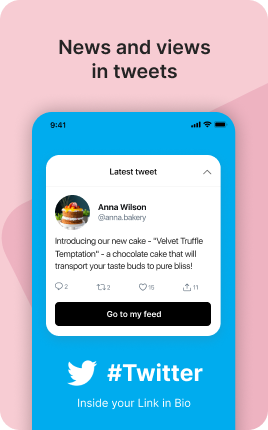
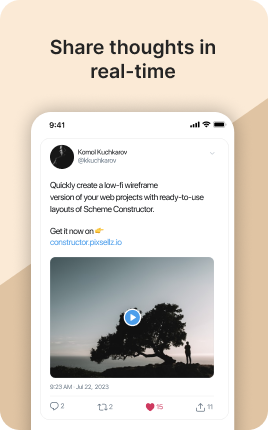
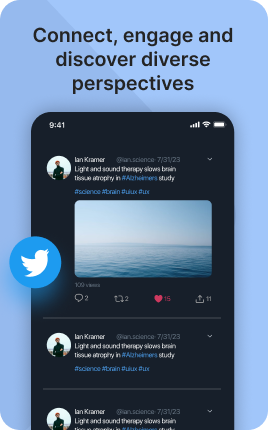

The Twitter Block (X Block) embeds your most-engaged tweets directly on your link in bio — pinned tweet, recent threads, viral posts. Where Instagram and TikTok are visual platforms, Twitter is text-first, which means the embedded content carries more nuance per square inch. Visitors who read 2-3 strong tweets in your block get a sample of your thinking before deciding to follow — a much more deliberate decision than the algorithmic feed makes.
Use cases
Concrete patterns we see UniLink creators apply most. Pick the closest to your situation as a starting point.
Pinned tweet showcase
Embed your pinned tweet — your manifesto, intro thread, or best-performing post. New visitors get your strongest "this is who I am" content first, not whatever you tweeted this morning.
Thread series
Embed the start of an important thread (educational series, philosophy thread). Visitors interested in the topic click through to read the full thread on Twitter, increasing engagement on platform.
Author or thinker positioning
For writers, thinkers, and thought leaders, embedded tweets demonstrate the depth and quality of your thinking better than a static bio paragraph could.
Cross-promotion with newsletter or blog
Tweet about a new newsletter issue or blog post, then embed that tweet alongside the Newsletter Form Block. Visitors see the tweet, click the link in it, end up subscribing — the embedding amplifies the cross-platform funnel.
How to add this block
From marketplace install to live on your link in bio. Each step takes seconds; the writing is what takes time.
- 1
Add the block from the marketplace
In your UniLink dashboard, drop the block onto the page where your audience expects to find your content. Most creators put it directly under the hero.
- 2
Connect or paste your account link
Authenticate the social account if the block supports auto-feed, otherwise paste your profile URL. Auto-feed pulls the latest posts on a schedule — no manual updates.
- 3
Choose layout and post count
Grid, slider, or list — pick the layout that works with your other blocks visually. Show 6-9 most recent posts; more clutters, fewer looks empty.
- 4
Set the call-to-action
Add a clear button below the feed: "Follow on Instagram", "Subscribe on YouTube". Visitors who like what they see should know where to go next without scrolling.
- 5
Publish and watch traffic flow
The block now bridges your link in bio with your platform. Track click-through to your social profile in Analytics and adjust position if it underperforms.
Best practices that move the needle
Small changes in writing or curation that consistently improve conversion.
Show your best, not your latest
Auto-feed shows the latest, but if your latest post is weak, it hurts the bio page. Pin or curate your best 6-9 posts — these set the impression for new visitors.
Match the platform's visual language
Instagram-style square crops, TikTok's vertical aspect, YouTube's thumbnail format — visitors recognize and trust content that looks native. Don't fight the platform's norms.
One platform per block
Mixing Instagram, TikTok, and YouTube in one feed dilutes attention. Use a separate block per platform so visitors see a strong stream of one type instead of a confused mix.
Refresh the call-to-action quarterly
Static "Follow me" gets ignored over time. Rotate to specific CTAs ("New post tomorrow at 3pm", "Live in 2 hours") that signal activity and create urgency.
Frequently asked questions
What is a Twitter (X) Block in a link in bio?
A Twitter Block embeds X (formerly Twitter) posts on your link in bio page. Visitors read embedded tweets in place and tap through to your X profile to follow or engage. Useful for thought leaders, writers, and personalities where text-based content carries the brand.
Does X's API access affect this?
X's public embed widget works without API access — paste a tweet URL and it embeds. For auto-fed feeds (auto-pull recent tweets), X's API tiers and pricing changes have made this less reliable; UniLink supports manual embedding which is more durable than depending on API quirks.
How many tweets should I embed?
2-4 is typical. More than 4 turns the bio into a Twitter feed clone and dilutes attention. Pick the tweets that best represent your perspective — pinned, viral, recent strong, or a thread starter.
Can I embed threads?
Yes. Paste the URL of the thread's first tweet and the embed shows the start of the thread with an option to "Read more" that opens the full thread on X. This is a cleaner pattern than copying a thread to UniLink directly.
Is the Twitter Block free on UniLink?
Yes for manual embedding. PRO plans add features like auto-feed pulling (with current API access constraints) and tweet filtering by engagement.
Related blocks
Pair this block with these to build a complete page on your link in bio.
Ready-to-use apps in the marketplace
Try ready-made page templates built around this block — install with a single click.
Twitter / X
Display your Tweets on your UniLink page to grow engagement
Music Links
Share your track on all platforms — Spotify, Apple Music, YouTube
Podcasts
Promote and monetize your podcast episodes
Feature your best Instagram media and video or sell your products
TikTok
Feature your best TikTok video or sell your products with a TikTok page
YouTube
Feature a YouTube video or stream on your page
Music
Embed Spotify, SoundCloud song, playlist or upload your own audio
Ready to add this block?
Drop it on any UniLink page in under a minute. Customize copy, visuals, and order without touching code.
Add to UniLink — free